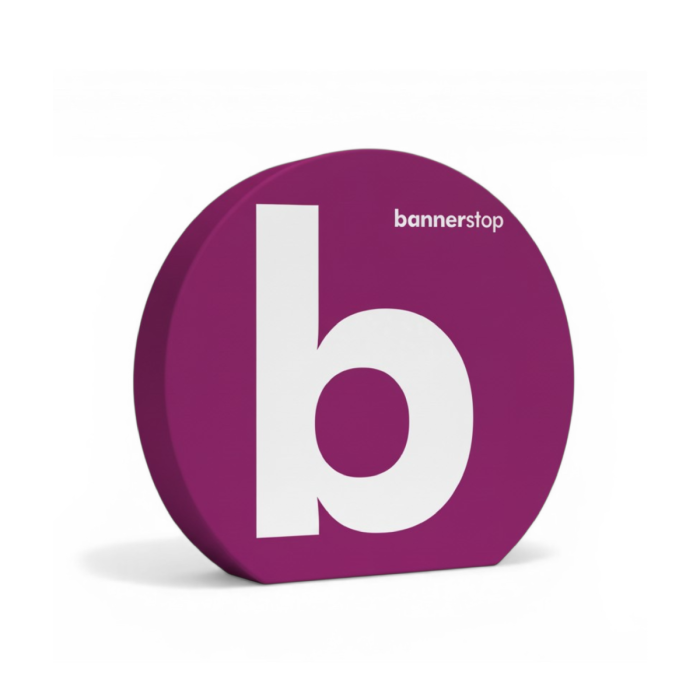

Gestaltungsvorlage Textildisplay Ring
Textildisplay Ring
Article No.:
15286
Useful information


Fastest Delivery:
Estimated Delivery
Rundes Textildisplay für Messe- und Promotionauftritte
- Herausragendes Runddesign für mehr Aufmerksamkeit
- Doppelseitig bedruckt, doppelte Wirkung
- Schneller Aufbau durch werkzeuglose Montage
- Textil per Reißverschluss schnell gewechselt
- Selbststehend, ohne Wandbefestigung nutzbar
- Inklusive Tragetasche für Transport und Lagerung
- Wiederverwendbar für mehrere Kampagnen
- Einsatz auf Messen, Events und im Handel
Useful information
Rundes Promotionsdisplay mit sofortigem Wiedererkennungswert
Das Textildisplay Ring ist ein doppelseitiges Display-System mit markanter Rundform. Es dient als professionelle Hintergrundwand für Promotionauftritte, Foto- und Videoaufnahmen sowie als eigenständiger Blickfang auf Messen und Events. Das System ist darauf ausgelegt, schnell auf- und abgebaut zu werden – und bei jedem neuen Einsatz eine andere Kampagne zu tragen.
Wo das Textildisplay Ring seinen Auftritt hat
Auf Messeflächen zieht die Rundform sofort Blicke auf sich, weil sie sich klar von rechteckigen Standsystemen abhebt. Im Einzelhandel und in Einkaufszentren eignet sich das Display als Promotionstation, die von allen Seiten sichtbar und bedruckt ist. Eventveranstalter nutzen es als Backdrop für Fotos und Videoaufnahmen, da die großflächige Textilbespannung einen sauberen, professionellen Hintergrund liefert. Unternehmen mit wechselnden Kampagnen profitieren besonders, weil der Druck austauschbar ist und das Rahmensystem dauerhaft weitergenutzt werden kann.
Konstruktion, Ausstattung und Individualisierung im Detail
Der Rahmen besteht aus Aluminium und ist mit Spezialverbindern ausgestattet, die eine werkzeuglose Montage ermöglichen. Das spart Zeit beim Aufbau und macht das System unabhängig von Werkzeug oder Fachpersonal vor Ort. Die Konstruktion ist selbststehend, sodass keine Wand, kein Ständer und kein zusätzliches Befestigungsmaterial benötigt wird. Das bedruckte Textil wird über den Rahmen gespannt und per Reißverschluss befestigt. So lässt es sich im Bedarfsfall rasch gegen ein neues Motiv austauschen – ideal, wenn das gleiche System für verschiedene Kampagnen eingesetzt wird. Mit einer Breite von 240 cm und einer Höhe von 220 cm bietet das Display eine großzügige, beidseitige Werbefläche. Die Tiefe von 40 cm verleiht der Rundform ihre markante dreidimensionale Wirkung. Nach dem Einsatz lässt sich das System platzsparend in der mitgelieferten Tragetasche verstauen. Das Gesamtgewicht von 15 kg macht Transport und Lagerung auch ohne Hilfsmittel handhabbar.
Textildruck mit Reißverschlusssystem für schnellen Motivwechsel
Das Textilmaterial wird im Textildruck-Verfahren bedruckt und über einen umlaufenden Reißverschluss am Aluminiumrahmen befestigt. Der Reißverschluss sorgt dafür, dass das Textil gleichmäßig gespannt sitzt und keine Falten oder Wellen entstehen. Das Ergebnis ist eine straffe, sauber aussehende Bespannung – auch nach mehrfachem Wechsel. Da Rahmen und Druck getrennt sind, können Ersatzdrucke für neue Kampagnen produziert und auf dem bestehenden Rahmen eingesetzt werden. Das reduziert den Ressourceneinsatz und senkt die laufenden Kosten bei häufig wechselnden Motiven.
Transport und Lagerung: kompakt verpackt, sofort einsatzbereit
Das Textildisplay Ring wird inklusive Tragetasche geliefert. In dieser Tasche lassen sich Rahmen und Textil gemeinsam transportieren und lagern. Das Gesamtgewicht von 15 kg erlaubt den Transport ohne Spedition oder Sondergenehmigung. Für Unternehmen mit mehreren Standorten oder häufigem Messeeinsatz ist das ein praktischer Vorteil: Das System ist schnell verladen und ebenso schnell wieder einsatzbereit.
Aufbau in wenigen Schritten, ohne Werkzeug
Die Montage des Textildisplay Ring erfolgt werkzeuglos über Spezialverbinder. Das Textil wird abschließend per Reißverschluss am Rahmen befestigt. Die selbststehende Konstruktion braucht keine Wandmontage und keine Bodenverankerung. Durch den unkomplizierten Aufbau ist das Display auch ohne geschultes Montagepersonal schnell aufgestellt.
|
Breite: |
240 cm |
- Aluminium-Rahmen
- Textildruck
- Transporttasche
Print File Information

Resolution
The resolution must be at least 75 dpi up to a maximum of 150 dpi. Alternatively for very large files: Create a file at a 1:10 scale, with a resolution of at least 750 dpi to 1500 dpi.
When exporting PDF files, pay attention to the resolution of the images. The default setting is 300dpi.

Safety area (edge distance)

Cut
Create your files in final format, at a scale of 1/1 (or 1/10 if necessary), without bleed or crop marks.

Printfile Templates
To simplify the creation of print data, we have developed design templates.
The templates are at a 1:1 scale. Keep this scale for your creations. The print area is clearly designated in the templates. The position of the hems is marked by gray, dark gray, or black areas. The printed pattern must extend onto these areas. A striped line indicates the safety distance to be maintained at the edges.

Font / Lines
Use a font size that is easy to read, even from a distance. The appropriate font size varies depending on the material. If your creation includes text, use a font size larger than 0.8 cm (measured at the height of lowercase letters).
If your print file is created in vector format, such as PDF or AI, convert the font to paths. This is the only way to ensure that the correct font is printed.
Use a stroke thickness of at least 2.8 pt or 0.1 cm. For thinner lines, we cannot guarantee optimal display.

Special colors
RAL, HKS, or Pantone shades do not always have an ideal rendering in digital printing in four-color (CMYK). Please let us know the specific colors you desire, and we will try to get as close as possible.
Specific colors like gold or silver are not printable in digital four-color (CMYK) printing. However, through color mixing, we can achieve good gold or silver effects. Feel free to share your wishes with us.

Data Types
We accept the following file formats:
- (.pdf) PDF/X-3 Standard
- (.jpg) Image formats
Images saved at the highest quality settings - (.ai) Adobe Illustrator
Images must be embedded and not attached - (.eps) Encapsulated Postscript
- (.svg) scalable vector graphic
In a vectorized file, text must be converted to paths/curves.
Please always save Adobe Photoshop or GIMP files in .jpg format.
For Adobe InDesign files, pay attention to PDF export settings. The files are otherwise very large.

Color Settings
Images must be in the CMYK color mode (COATED FOGRA 39 or 27, ISO Coated V2). RGB images (the one from your screen) are not suitable for printing. When converting RGB images to CMYK (four-color), the rendering may vary slightly.
Please make sure to disable the 'overprint' setting.
To print deep black in the CMYK color space, please choose the shade 86/85/70/100 for your creation.

Print File Naming Convention
Do you want to print several different designs? With us, you don't need to place multiple orders.
Name the files according to their use and the desired distribution (e.g. pattern_A_3x.pdf). Use the comments field to confirm the desired distribution.

Print File Upload Possibilities
Here is how to send us your files:
- up to 20 MB: by email to [email protected] - please make sure to include the order number so we can assign your email.
- up to 750 MB: via our upload form - Once you have registered as a customer in our online store and placed your order, you can log in and view your order under "My account". Using the existing upload form, you can upload your print data within your order. Please note that JavaScript and Flash must be enabled.
- up to 2 GB: by WeTransfer, Dropbox etc. - Please enter the order number in the "Message" field of your upload so we can assign your print data.
You will be asked to submit your print data automatically after your order. Once you have sent us the data, its printability will be checked in terms of format, resolution, and plausibility. You will then receive a proof from us for approval. Production will then begin.
Please always indicate the order number when transmitting print data.
Your selection
Adding to cart.
Please hold on...